Return to previous page Return to menu Go to next page

Color calculation function
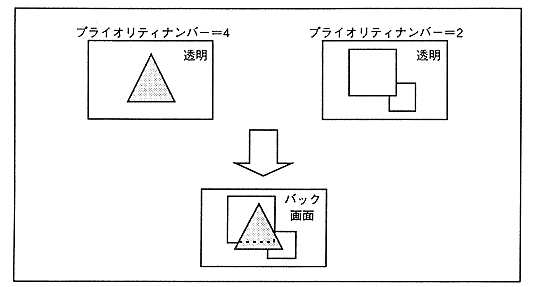
The color calculation function adds the color data of multiple screens to produce an effect that allows the back screen to be seen through the front screen. Normally, the top image and the second image are displayed on two screens, but using the extended color calculation function, up to four images can be performed.

Figure 3.21 Color operation function
  • Insert line color screen
    The line color screen is a screen that forcibly inserts the specified image as the second image of the top image and performs color calculations. At that time, in the part where the line color screen is inserted, the second image before insertion becomes the third image, and the third image becomes the image below it (force image). Figure 3.22 shows the insertion of a line color screen.

  • Return to previous page Return to menu Go to next page