Default value of parallel I / O register at power ON
The parallel I / O register at power-on is set to the default value shown in Table 3.1.
Table 3.1 Parallel I / O register default value at power ON
Register name | Set value | |
IOSEL1 / 2 | 0H | SMPC control mode |
EXL1 / 2 | 0H | PAD interrupt, VDP2 external latch disabled |
DDR1 / 2 | 00H | All-bit input |
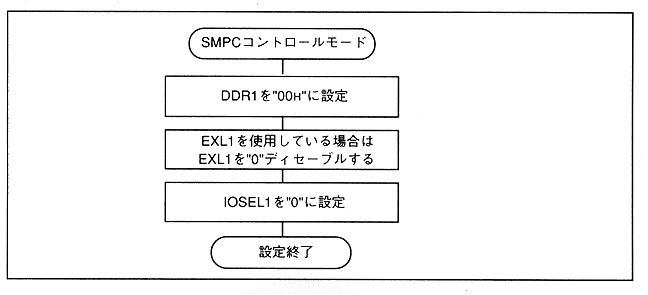
How to use SMPC control mode
Also, when there is peripheral data to be collected, the status register indicates that there is remaining data.
∙ After the peripheral data is acquired by SH-2, SMPC resumes peripheral data collection by requesting the continuation to SMPC. When the remaining peripheral data is not required, the peripheral data collection can be terminated by a break request.
The above sequence is shown in Figure 3.3 and Figure 3.4.