1.3 Extension library
[Overview]
Compressed data can be stored as a separate file on the CD-ROM or can be stored in any other way. However, when decompressing, start the decompression library by specifying the input data buffer and output data buffer on the memory that can be accessed directly from the main CPU.
∙ All of these buffers must be secured by the user of the decompression library, and their addresses must be specified in the library function.
For example, when reading input data from a CD and decompressing it, it is necessary to start the decompression library function after reading the input data of one decompression process to the memory.
The user also informs the decompression library function of the output data buffer size. If the decompressed data exceeds this size, the library function does not write to the location that exceeds the size and stops processing. Using this function, it is possible to intentionally perform halfway expansion processing.
However, there is no function to resume interrupted decompression processing.
The following diagram shows an overview of the decompression process.
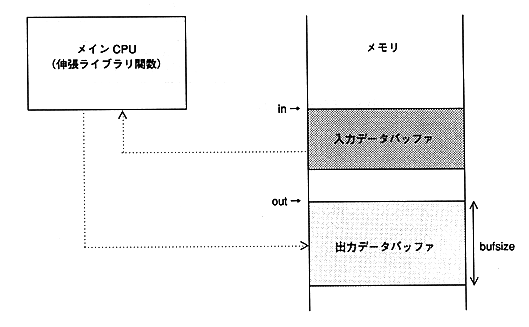
 in: Input buffer start address. Align to a 4-byte boundary.
out: Output buffer start address. Align to a 4-byte boundary.
bufsize: Output buffer size. An integer multiple of the number of processing unit bytes.
Figure 1.4 Decompression processing