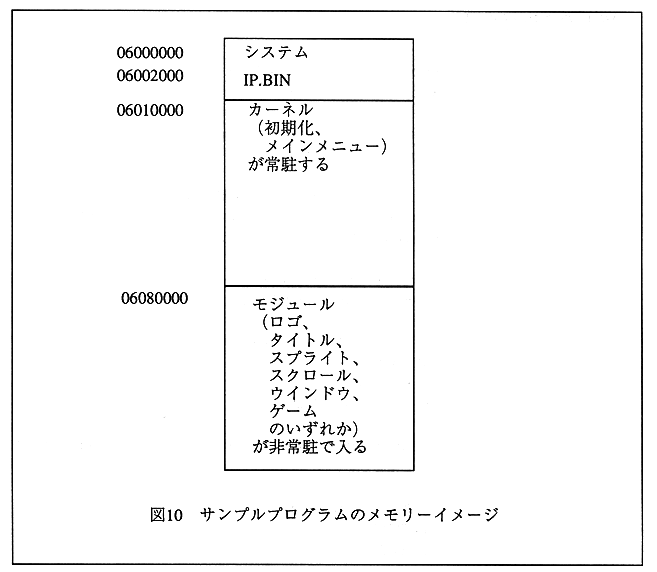
Figure 10 Sample program memory image
Execution procedure with SIMM file
- Make up program
WS version make -f smp.mk [ENTER]
PC version smpmk.bat [ENTER]
This will make smp.lod which can be executed on SIMM. - Load and execute programs l 04020000;m:smp.lod[ENTER] Rs [ENTER] G [ENTER] The Sega logo at startup is displayed for a moment, and then the sample game is executed.