Back to menu Go to next page

1. Sound simulator

Main Window
What is a sound simulator?

The
sound simulator is a simulator that allows the sound data produced by the sound tool to be sounded in the same state as when it was incorporated into the game. This is for simulating the phonic control with software on the Macintosh instead of the game program, which can be tested only after the game side program is normally built and the sound is incorporated. Functionally, it is classified as follows.

□ Start sound system
□ Transmission of tone data and song data
□ Pronunciation control
□ Switch DSP (effect) program
□ Create, compress, and combine Saturn format data
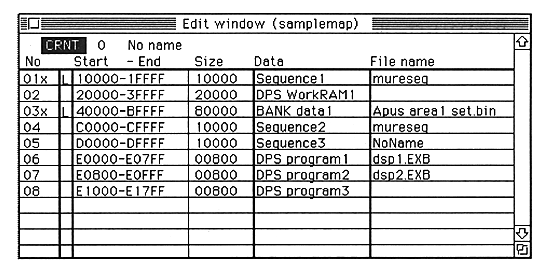
□ Sound area map creation

Start sound system

The sound system will be erased when the power is turned off for the
sound board. Therefore, the sound system must be activated whenever the sound board is turned on. In the sound simulator, the following series of processing performed when embedding the game is performed by clicking “system startup”.


Back to menu Go to next page