Sound capture
- Make sure that the source device is connected to the digital input of the SCSP board.
- Select Option ... from the SCSP menu.
- SCSP.
- Set the output to either 8bit or 16bit.
- Press the OK button.
The screen for setting the output and input destination devices appears.
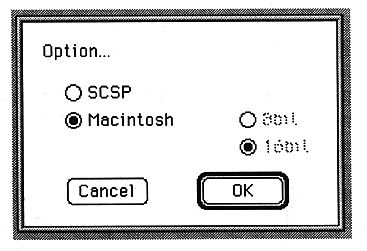
Select
8-bit and 16-bit radio buttons are displayed.
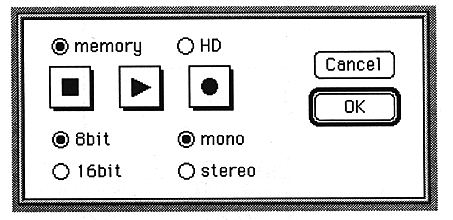
The device settings are complete.