Return to previous page Return to menu Go to next page

Replace (shortcut: Command-R)
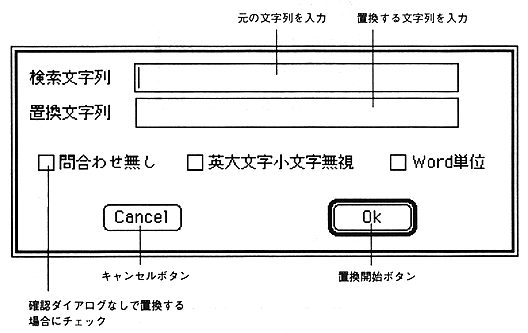
This function searches for an arbitrary character string in the active text window and replaces it with the specified character string. When necessary items are set in the dialog, the character string is searched, and if it exists, the character string is replaced. If you do not check No inquiry, a confirmation dialog will appear once. Other check boxes are the same as search.

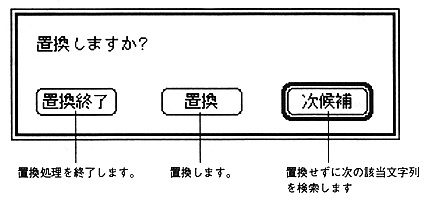
If you do not check No inquiry, a replacement confirmation dialog like the one below will be displayed and you will be asked to confirm the replacement.
Upward repeat (shortcut: Command-T)

Repeat the search command to search upward from the current line (to the top of the file). The search string is set with the "Search" command. In other words, it is a command to continue the search work without entering the character string to be searched many times.

Repeat downward (shortcut: Command-J)

Search repeatedly from the current line (to the end of the file) using the "Search" repeated command. The search string is set with the "Search" command. In other words, it is a command to continue the search work without entering the character string to be searched many times.


Return to previous page Return to menu Go to next page