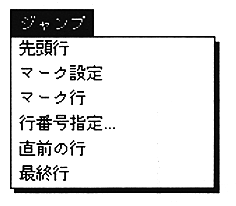
“Jump” menu has six commands that allow you to quickly move the cursor on the active text window to the desired location.
First line
Moves the cursor to the first line of the file.
Mark setting
Marks the line where the cursor is currently located. Although nothing is displayed, you can use the “Mark Line” command to move the cursor to the marked line in any line. Each time you add a mark, the previous mark disappears. That is, only the last mark is valid.
Mark line
mark Moves the cursor to the set line.
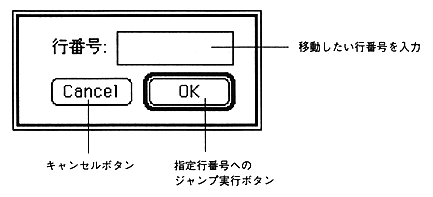
Set line number ...
Moves the cursor to the line entered in the
dialog.
Previous line
Jumps to the line just before the cursor was at the current position.
Move to the last line using the “last line” command on the first line, then move to the first line when using the “previous line” command