Code window
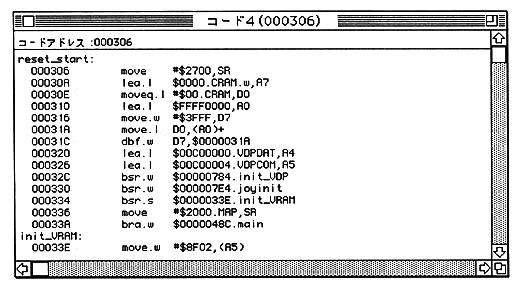
By clicking “Code Address”, you can enter the disassembly start address.
Line assembly can be performed by clicking the disassemble display in the window.
- Dump window is not updated during user program execution. It is updated when the user program stops due to a break.
● Bus Trace Window
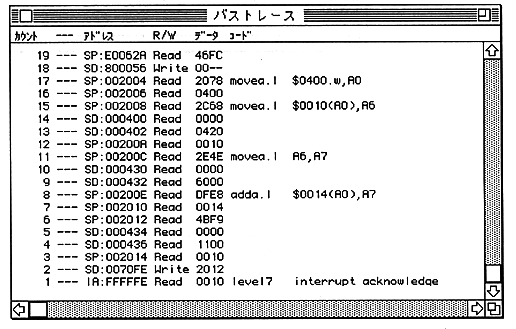
When displayed on the color display, the bus cycle is divided as follows.
- Black MC68EC000 bus cycle
Red Bus cycle with EXT signal asserted
Green Bus cycle in which control is completely transferred to the debugger side
Blue Bus cycle from B-BUS