2.6 Add sound
Use MoviePlayer to add sound after creating a Cinepak movie with only
Operation
- Cinepak movie with only video and open sound file with MoviePlayer
- Copying a movie with only sound after Select All
- Paste while holding down Option key after selecting Cinepak movie with video only
- Save after playback confirmation
2.7 Conversion to Saturn format
Use
Operation
- Copy MovieToSaturn_J to an appropriate folder on Macintosh.
Start - MovieToSaturn_J, select the file you want to convert, and click the "Open" button (Figure 2.7).
- A save dialog opens. Enter the file name for saving (Figure 2.8). By default, ".CPK" is added to the end of the conversion source file name.
- Click the “Save” button to start conversion.
- Automatically ends when conversion is complete.
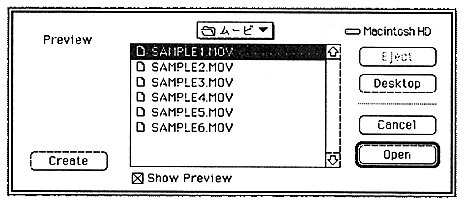
Figure 2.7 MovieToSaturn_J movie selection dialog