Return to previous page Return to menu Go to next page


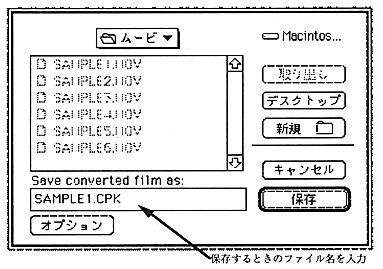
Figure 2.8 MovieToSaturn_J movie save dialog

You can also convert by drag and drop. When the Cinepak file you want to convert is dropped on the MovieToSaturn_J icon, the conversion starts. In this case, if the extension is “.MOV”, rewrite it to “.CPK”, otherwise add “.CPK” to the original file name.

2.8 Transfer Cinepak movie to DOS

Use Apple File Exchange to convert movies to DOS files. If LAN service is available, transfer to a PC / AT compatible machine for virtual CD via the network.

2.9 Add Cinepak driver code

Create an application using the Cinepak library. For details on the Cinepak library, see "Chapter 4 Cinepak Library". If necessary, refer to the source code of the sample program provided with the Cinepak library.

2.10 Create CD-ROM file

Create a CD image with a virtual CD and check the playback content.


Return to previous page Return to menu Go to next page