- Object placement area (VDP2)
This area is used to place movie or picture object data registered in the object window. Objects are displayed using NBG0 and NBG1 on the VDP2 scroll screen. Scroll 0 (NBG0 of VDP2) can place movies or pictures. Scroll 1 (NBP1 of VDP2) is dedicated to MPEG movie because it is set to display the external input screen directly on the author player.
Object placement area (VDP1)
This area is used to place picture objects registered in the object window. Objects are displayed as sprites using VDP1. Arrangement has 32 areas from 5 to 36, and when picture objects to be displayed in the same time overlap, the smaller number is displayed in front.
Screen window
- Figure 2.5 shows the screen window. Substitutes a Saturn TV monitor when simulating your scenario.
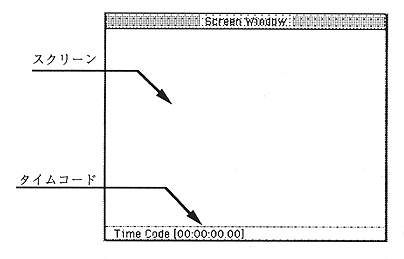
Figure 2.5 Screen window
Screen
Displays the created scenario.
Time code
The time code corresponding to the scenario time axis is displayed.