
Notes on description
In the text, [] indicates a menu command, and [] indicates a hierarchical (sub) menu.
3-1. Make a rough outline of the car
Remove cube
Switches to the “Model” menu.
Shortcut key
“F1” key: Model menu selection
[Get] → [Primitive] → [Cube]
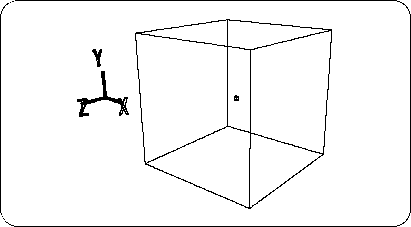
When a dialog is displayed, enter 4 in “Length” (the length of one side of the square) and click “OK” to create a cube (Figure 3-1).
Figure 3-1 Cube removal
Caution
The small square displayed in the center of the cube represents the center of the object.
If no vertices are displayed,
[Show] → [Point]
Select to display vertices.
After confirming that the object is selected (the wire frame is displayed in white), based on this cube, use the 【Scale】 in OBJ mode to make a rough car I will shape it to the outer shape.